Apple iPad 4 (iOS7)

Choose another device

Browse via device topic

I can't use one of my apps

If you can't use an app on your tablet, follow these instructions to solve the problem.
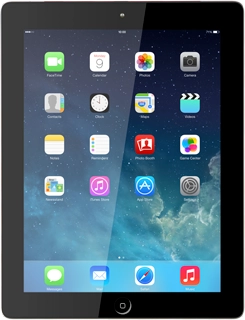
Solution: Install and use apps from App Store

Press App Store.

Step 1 of -

Step 1 of -

Slide 1 is active

Solution: Restart your tablet

Press and hold the Home key and On/Off simultaneously until your tablet is restarted.

Step 1 of -

Step 1 of -

Slide 1 is active

Solution: End active applications

Press the Home key twice.

Step 1 of -

Step 1 of -

Slide 1 is active

Solution: Use internet browser

Press Safari.

Step 1 of -

Step 1 of -

Slide 1 is active

Solution: Check App Store if there's an update for your app.

Solution: Install and use apps from App Store

Press App Store.

Step 1 of -

Step 1 of -

Slide 1 is active

Solution: Install and use apps from App Store

Press App Store.

Step 1 of -

Step 1 of -

Slide 1 is active

Rather get in touch? Let’s get you connected

Online help & supportGet help
Chat with our teamContact us
My Telstra appDownload My Telstra