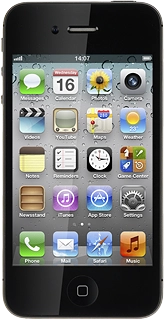
Text input is used in many of the phone functions, such as notes and messages. There are a number of different text input settings. The most important settings are described in the following steps.
Select one of the following options:
Turn word suggestion on or off, go to 3a.
Add writing language, go to 3b.
Select keypad type, go to 3c.
Press the indicator next to Auto-Correction.
Depending on the current setting, the function is turned on or off.
Press International Keyboards.
Press Add New Keyboard....
Press the required language.
Press Keyboard to go back to the settings.
Press International Keyboards.
Press the required language.
Press the required keypad type below Software Keyboard Layout.
When a keypad type is ticked (V), it's selected.
Press Keyboard to go back to the settings.
Press the Home key to save the settings and return to standby mode.
The following steps describe how to use the phone keypad when word suggestion is turned on. The following steps require that you're writing text and that the keypad is visible.
Press the writing language icon (a globe) until the required language has been selected.
Press once on each letter to write the required word.
A number of words based on the letters you've keyed in are displayed.
Press space to insert the required word.
To key in numbers or symbols:
If required, press #+= to see more symbols.
Press the required numbers or the required symbols.
Press ABC to return to text input.
Press the microphone icon.
To key in numbers or symbols:
Say the required number or symbol.