Search suggestions will appear below the field as you type
Browse via device topic
Use your phone as a Personal Hotspot
You can use your phone to create an internet connection from a laptop or desktop. Follow these instructions to use your phone as a Wi-Fi hotspot.
You need to turn on data connections before you can use your phone as Wi-Fi hotspot. Click here for information on how to activate data connections.

Step 1 of 12
Step 1 of 12
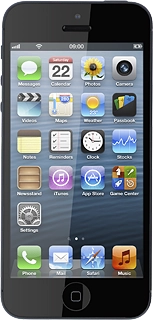
1. Find "Personal Hotspot"
Press Settings.