If your phone is set to use 2G networks only, you can't make video calls.
Solution: Select network mode
1. Find "Network mode"
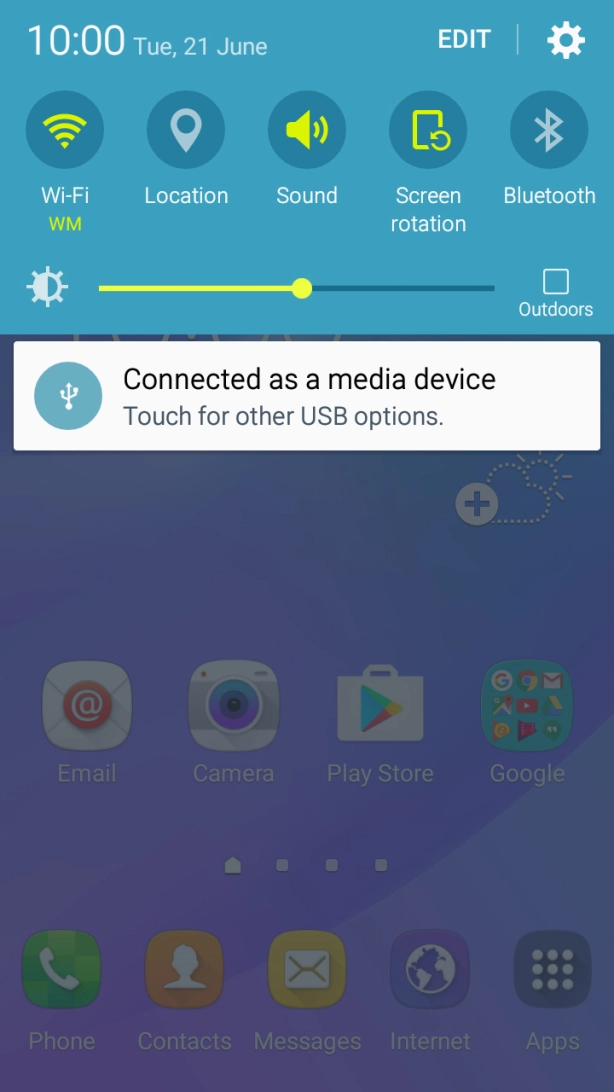
Slide your finger downwards starting from the top of the screen.
Slide your finger downwards starting from the top of the screen.
Press the settings icon.
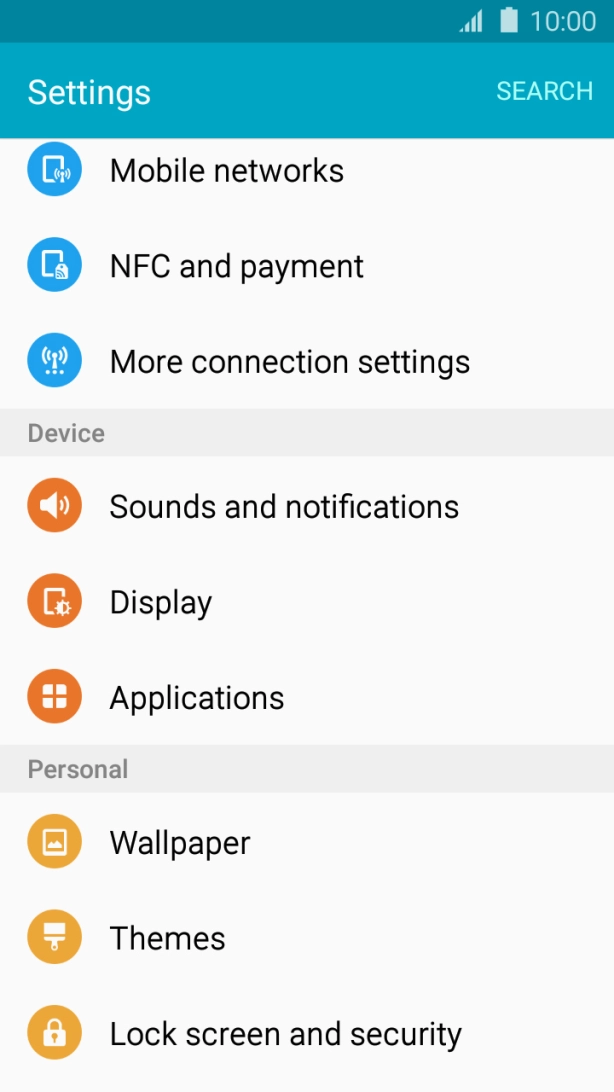
Press Mobile networks.
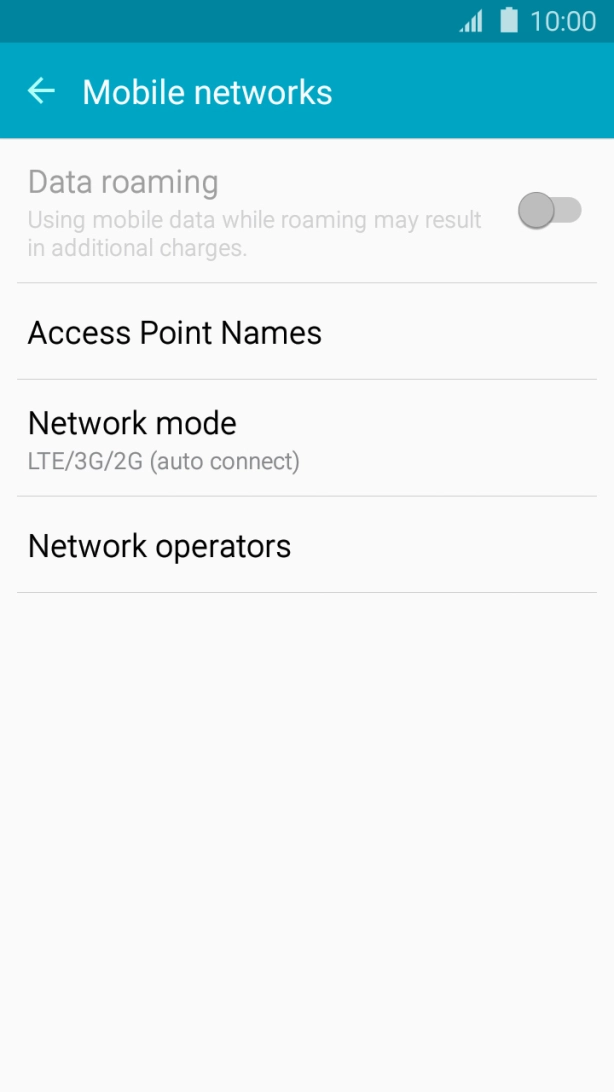
Press Network mode.
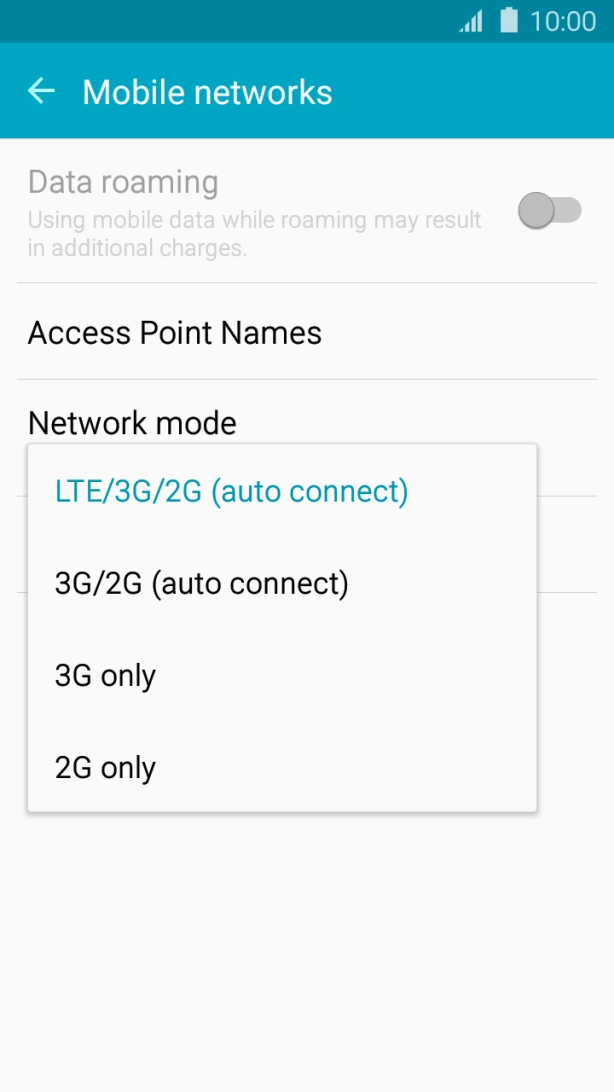
Press the required network mode.
There may be different network modes available depending on where you are. If you set your phone to automatic network selection, it will always find the network with the highest data speed and best signal.
Press the Home key to return to the home screen.