Samsung Galaxy Watch

Choose another device

Browse via device topic

I can't receive any voice calls

If you have problems receiving voice calls, there may be several causes of the problem.
Your missed calls are diverted after a specified number of seconds. If your calls are diverted too fast, you need to select a longer period of time.

Solution: Set call forwarding delay on the paired phone.

If all calls are diverted, you won't be able to receive any calls on your smartwatch.

Solution: Cancel all diverts on the paired phone.

If you can't receive calls when someone calls you, it may be caused by an unknown connection error.

Solution: Restart your smartwatch

Press and hold the Home key until your smartwatch restarts.

Step 1 of -

Step 1 of -

Slide 1 is active

If barring of incoming calls is turned on, you won't be able to receive any calls on your smartwatch.

Solution: Turn off call barring on the paired phone.

If your smartwatch isn't correctly paired with your phone, you may have problems receiving calls on your smartwatch.

Solution: Unpair your smartwatch and your phone and then go through the activation of your smartwatch again.

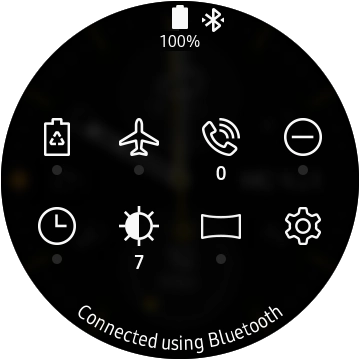
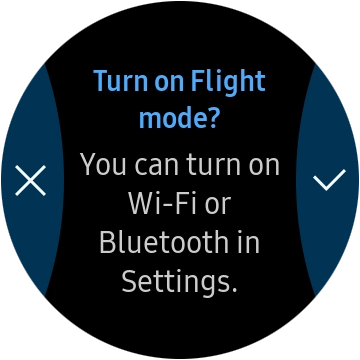
When flight mode is turned on, all wireless smartwatch connections are turned off, including the mobile network connection.

Solution: Turn flight mode on or off

Slide your finger downwards starting from the top of the screen.

Step 1 of -

Step 1 of -

Slide 1 is active

Rather get in touch? Let’s get you connected

Online help & supportGet help
Chat with our teamContact us
My Telstra appDownload My Telstra