Telstra Dave
Choose another device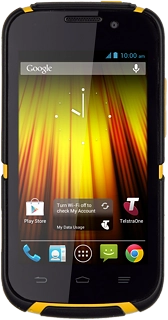
Browse via device topic
I can't make voice calls
If you have problems making voice calls, there may be several causes of the problem.
Solution: Check our network coverage maps for coverage information and to confirm expected signal strength and speeds in your area.
If you've checked the map and aren't getting reception, but think you should be, we need to know about it. Please complete our coverage feedback form on the same page.
Solution: Try making a call to another number. If this doesn't help, please contact us.
Solution: Try making a call later or when you're in another area.
Check our Service Status Page for any scheduled or unexpected events, such as maintenance work or outages that may affect your Telstra services.
Solution: Select network mode
1. Find "Network Mode"
Slide your finger down the display starting from the top edge of your phone.
Solution: Please contact us for further assistance.
Solution: From 12 May 2015, International Roaming is automatically active on new Telstra mobile services. Please visit our web page for more information.
Solution: Select network
1. Find "Network operators"
Slide your finger down the display starting from the top edge of your phone.
Solution: Turn flight mode on or off
1. Turn flight mode on or off
Press and hold On/Off.
Solution: Recharge now.